
A smooth planning notice installation starts before anyone drives to the property. A missing document or uncertain location can turn a straightforward visit into a rebooking.
Use the following checklist when your council or other responsible authority has asked you to arrange an on-site notice.
1. Check the instruction, not just the deadline
Locate the advertising letter or email. Confirm the application reference, responsible authority, required form of notice, number of signs, nominated frontages and any specified display dates. If the instruction is ambiguous, ask the authority to clarify rather than making a guess on site.
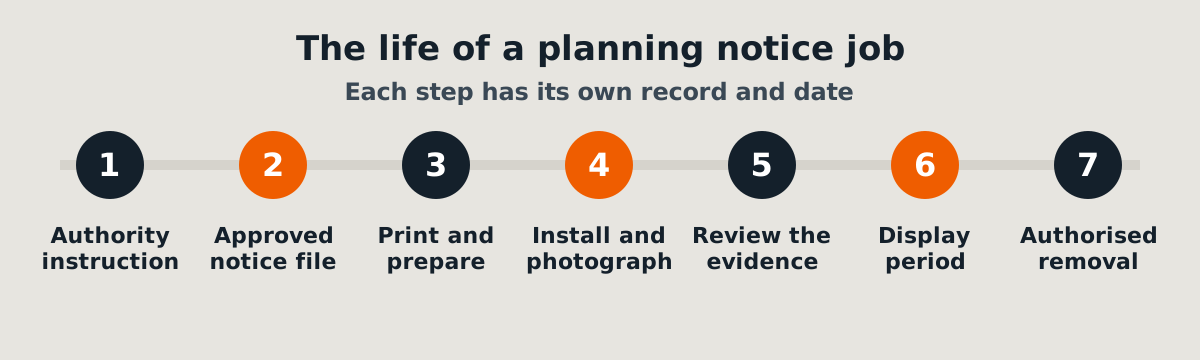
2. Verify the sign file
The latest approved notice should be identifiable. Check the property address, application reference, proposal description and any authority-supplied wording against the written instruction. Use the actual approved notice rather than recreating legal text from memory.
If printing is required, confirm size, mounting material and whether the layout remains legible at the intended display position.
3. Plan safe site access
Provide the installer with the correct property location and any practical directions. A new subdivision, a corner block and a gated development can each create different access challenges. Explain whether fencing exists, whether gates are locked and whom the worker should contact if access fails.
If the proposed position would require unsafe work or interfere with pedestrians, the worker should stop and seek further instructions.
4. Agree on the evidence
Before attendance, identify the photographs you need. A useful evidence set commonly includes a close-up showing the notice content and a wider view showing its placement at the property. If location or date metadata is available, keep it as supporting information rather than the sole proof.
5. Plan the end of the display period
Record the date and person responsible for checking the notice later. If removal is included, confirm the removal conditions separately. Some authorities manage removal themselves.
A simple handover pack
A practical pack contains the authority's instruction, final sign document, site address, access notes, contact person, requested attendance date and evidence recipient. If the job has multiple sites, give each site its own reference.
Ready to book? Send SiteNotice Australia your instructions and notice file. A complete handover helps us assess the job accurately and reduces avoidable follow-up questions.
Related: Planning notice installation · Request a quote